Royal TSX alternative for macOS
A lightweight, native Royal TSX alternative for Mac
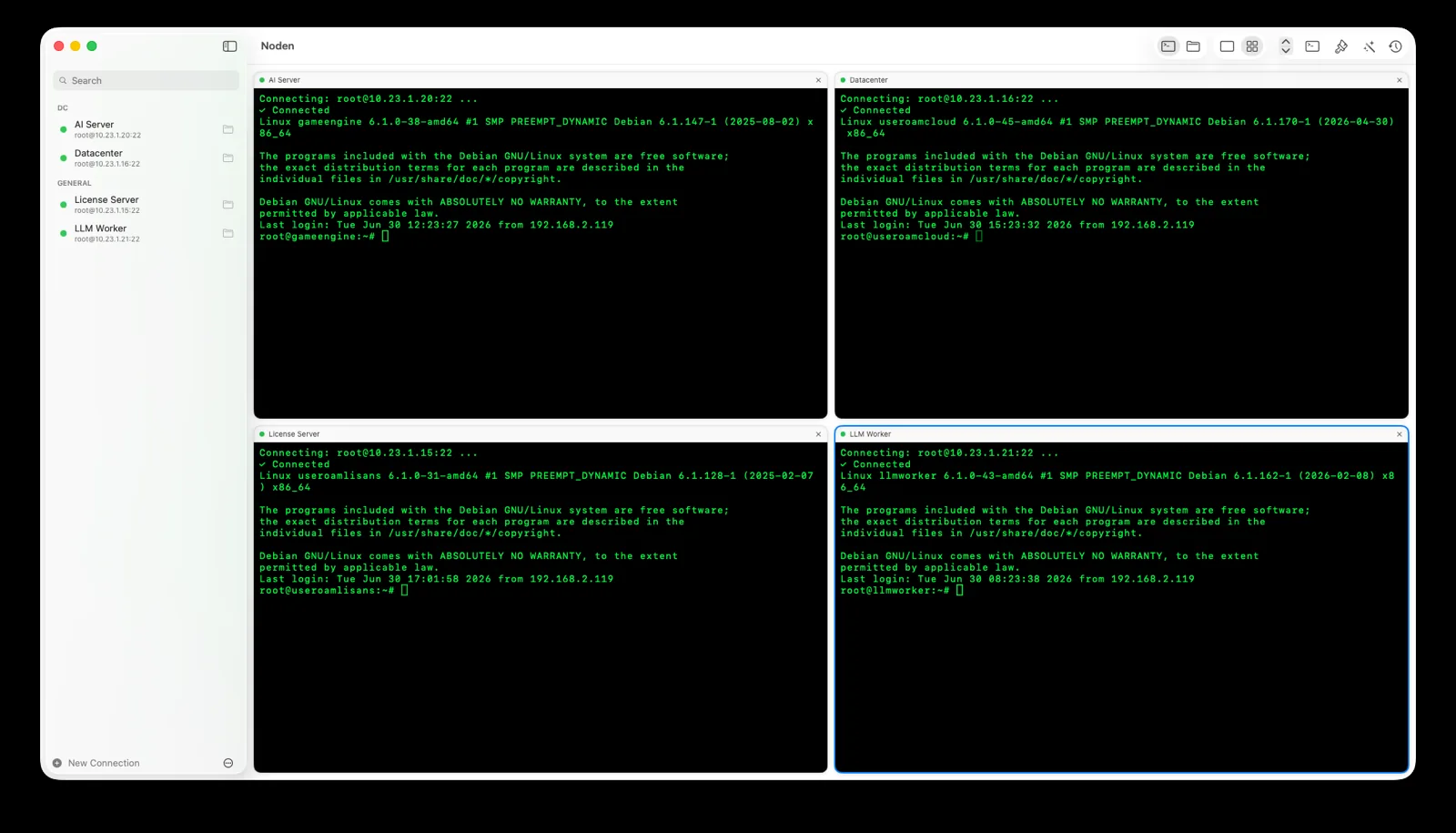
Noden is a native macOS SSH and SFTP client for people who want a focused, lightweight tool rather than a broad multi-protocol manager: saved connections, a grid of live terminals, a dual-pane SFTP browser, and an optional AI assistant that proposes commands and waits for approval before running them.
Published July 15, 2026 · By Tugay Pala, Useroam Teknoloji
What is Royal TSX?
Royal TSX is a connection management app for macOS that covers many protocols — SSH, RDP, VNC and more — in one place. Noden is narrower on purpose: it does SSH, SFTP and local terminals really well, natively, at a low yearly price.
Royal TSX and Noden at a glance
| Scope | Royal TSX: multi-protocol connection manager (SSH, RDP, VNC…) Noden: SSH, SFTP, RDP and serial console in one window (no VNC) |
|---|---|
| Interface | Noden is a native SwiftUI Mac app designed to stay fast and simple. |
| Terminals | Noden offers saved SSH connections plus a grid view for multiple live terminals. |
| File transfers | Noden includes a dual-pane SFTP browser with drag-and-drop and remote editing that uploads back automatically. |
| AI commands | Noden turns plain-English tasks into reviewed shell commands and never runs them without approval. |
| RDP / VNC | Royal TSX includes these. Noden does not; it focuses on SSH and SFTP. |
| Pricing | Noden is free for up to 5 connections; Pro is $5.99 your first year, then $10.99/year. |
When is Noden a good fit?
Choose Noden when your daily work is SSH and SFTP on a Mac, you want a native and lightweight interface, and you prefer a simple one-price license. It imports ~/.ssh/config, uses your Ed25519/ECDSA keys and stores secrets in the macOS Keychain.
When is Noden not a replacement?
Noden handles RDP and serial console too — Windows desktops in a tab, and console-port access over a USB-to-serial adapter. If you rely on VNC or the other protocols Royal TSX manages from a single app, it is still the broader tool. Noden stays focused on SSH, SFTP, RDP, serial and command assistance.
Troubleshooting
You need a protocol Noden does not speak
Noden covers SSH, SFTP, RDP and serial console. VNC and the wider protocol set are not there — that is the trade for a smaller, focused app.
You are used to shared team documents
Noden Team is announced but not on sale yet, so there is no shared credential vault today. The encrypted export/import file is the current way to move a connection set.
You want to organise many connections
The free tier holds five saved connections of any type; Pro removes the limit at USD 5.99 your first year, then USD 10.99 per year and keeps full command history.
Install Noden on macOS
Install the notarized app directly or with Homebrew. Apple Silicon and Intel, macOS 13 or later.
brew install --cask useroamteknoloji/tap/nodenFrequently asked questions
Is Noden a good Royal TSX alternative on Mac?
If your work is mainly SSH and SFTP, yes. Noden is a native, focused macOS client. Royal TSX is a broader multi-protocol manager that also covers RDP and VNC, which Noden does not.
Does Noden support RDP and VNC like Royal TSX?
RDP yes, VNC no. Noden has had a built-in RDP client since 1.1 — a Windows desktop opens as a tab beside your SSH sessions, with dynamic resolution, clipboard and file copy-paste both ways, shared folders and RD Gateway. It also reaches serial console ports over a USB-to-serial cable, which Royal TSX does not. Noden has no VNC; if you need VNC or the longer protocol list in one app, Royal TSX may fit better.
How much does Noden cost?
Noden is free for up to five saved connections. Pro is USD 5.99 your first year, then USD 10.99 per year for unlimited connections, full history and the AI assistant.
See also: MobaXterm alternative for Mac · Termius alternative for Mac · iTerm2 for SSH · Mac SSH client guide