Native macOS · SSH · SFTP · RDP · Serial · Vault
Noden is a native macOS client for SSH, SFTP, RDP and serial console. A Windows desktop, two Linux shells and a file manager — open at once, side by side, in one window. Credentials live in a Keychain-backed vault, not in a text file.

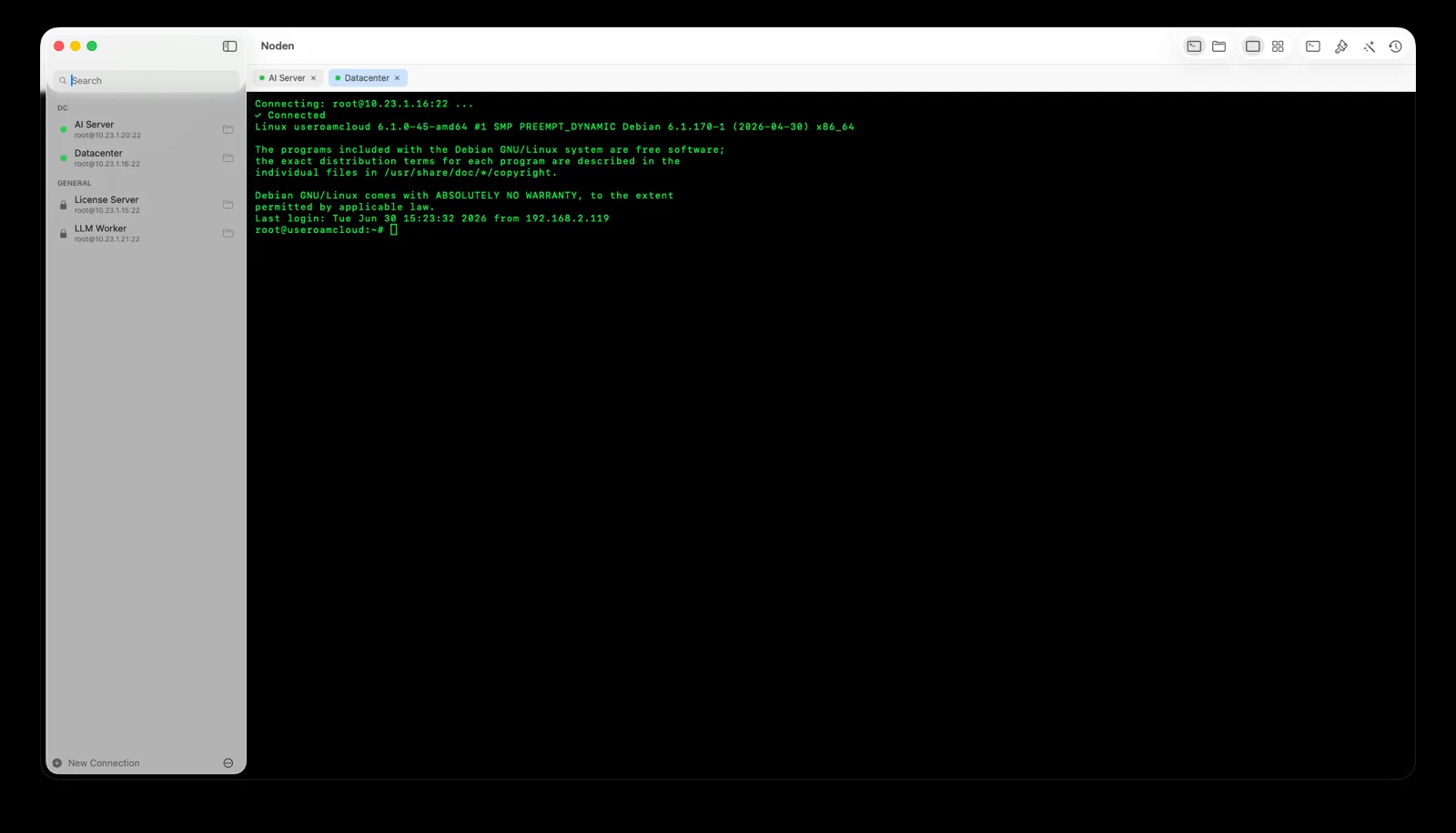
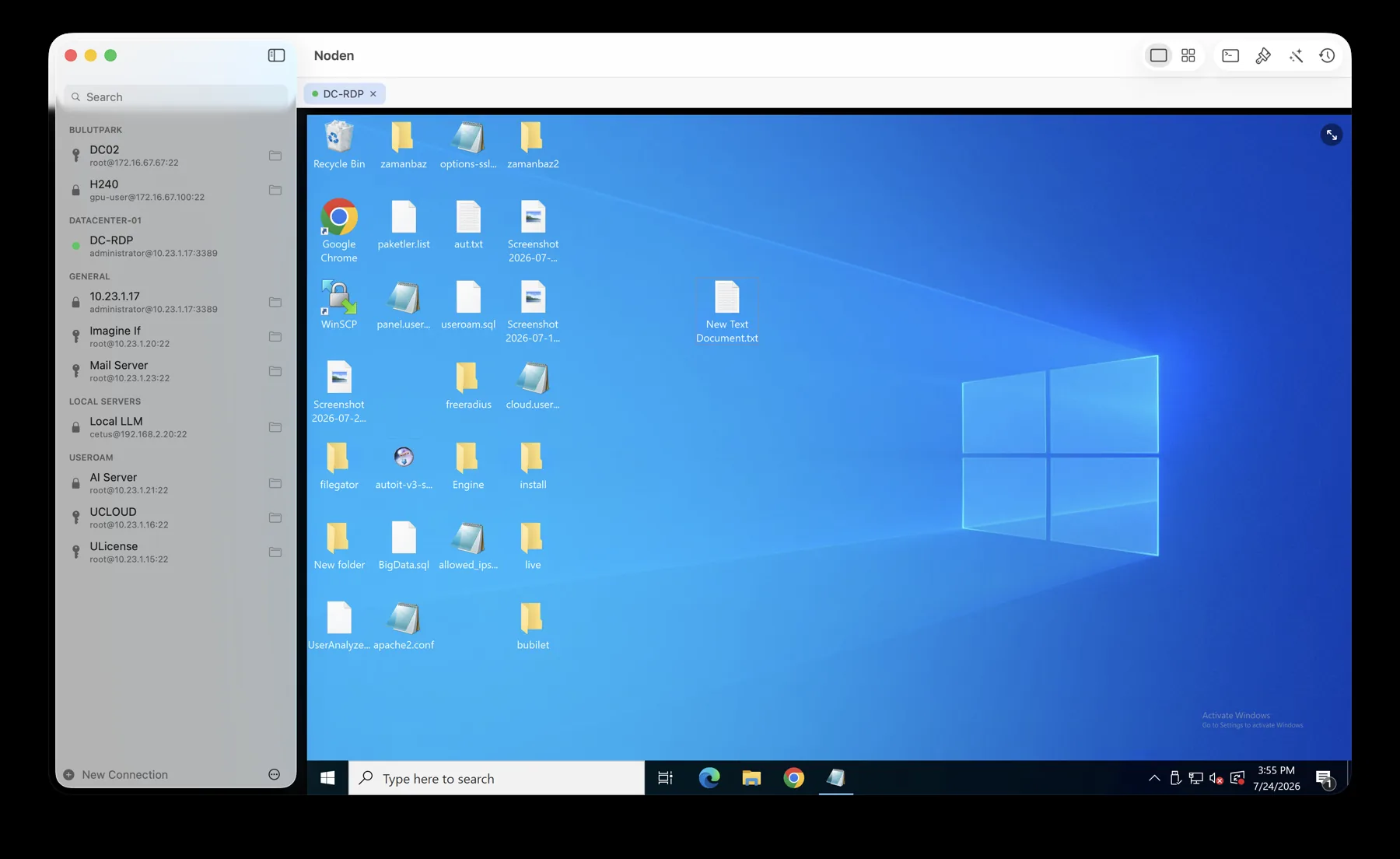
Five saved machines, four connected — two Linux shells, a file manager and a Windows desktop, all in one window. One host is down and the board says so.
What it does
A terminal, a file manager and a remote-desktop client — built to work together, not in separate windows.
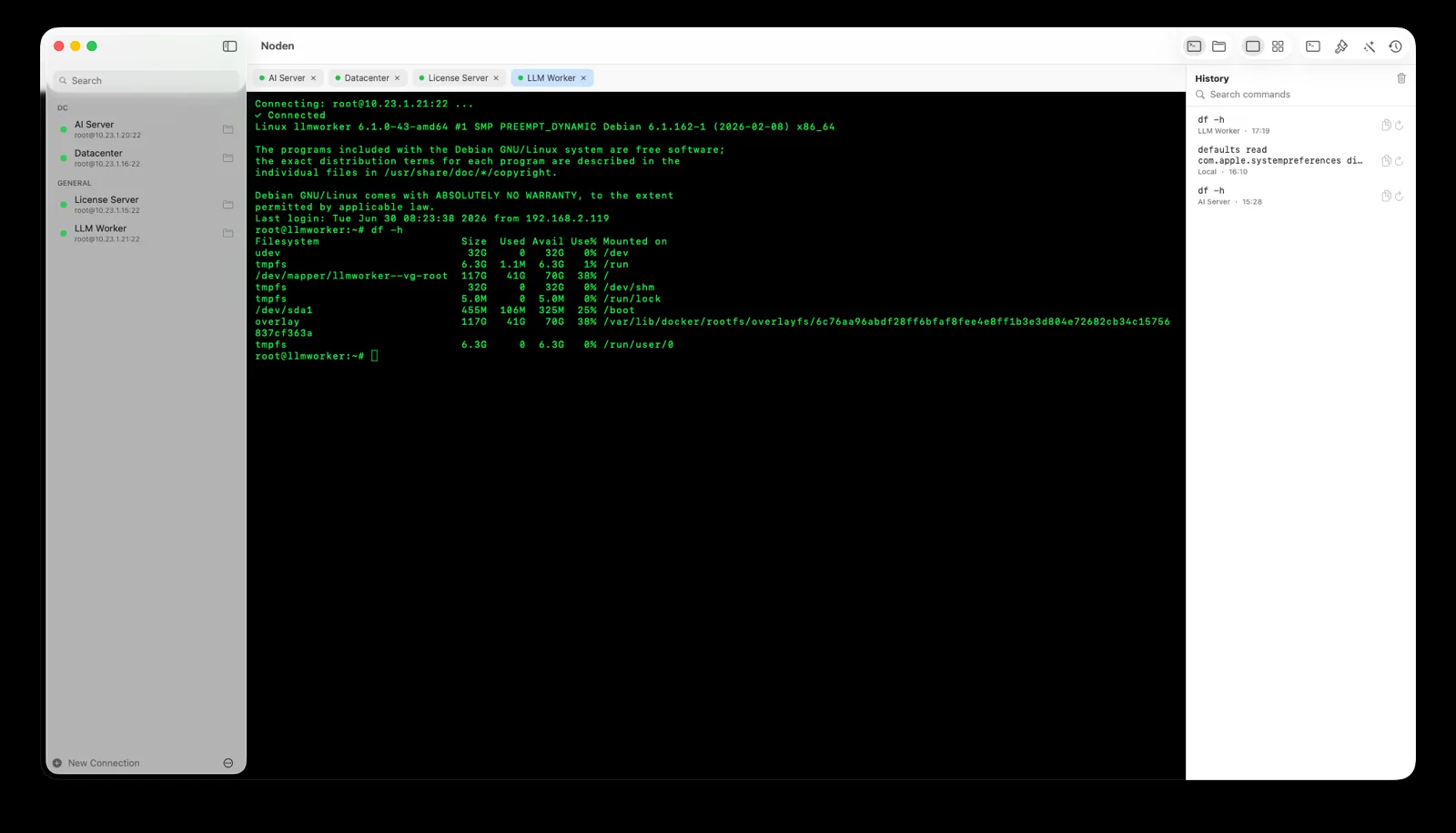
Saved connections grouped the way you think. Tabs or a resizable grid. Command history with autocomplete from what you actually typed before. Broadcast one line to every open tab. Jump anywhere with ⌘P.
~/.ssh
Local and remote, side by side. Resize and reorder the columns, sort them, drag files in from Finder, and edit a remote file in your own editor — Noden syncs it back when you save. Big copy already there? It asks: replace, skip, or all.

The one Windows box nobody wants to migrate now opens as a tab next to your Linux shells — or in the grid beside them. Copy text and files both ways, share a Mac folder into the session, resize and the resolution follows.

AI assistant
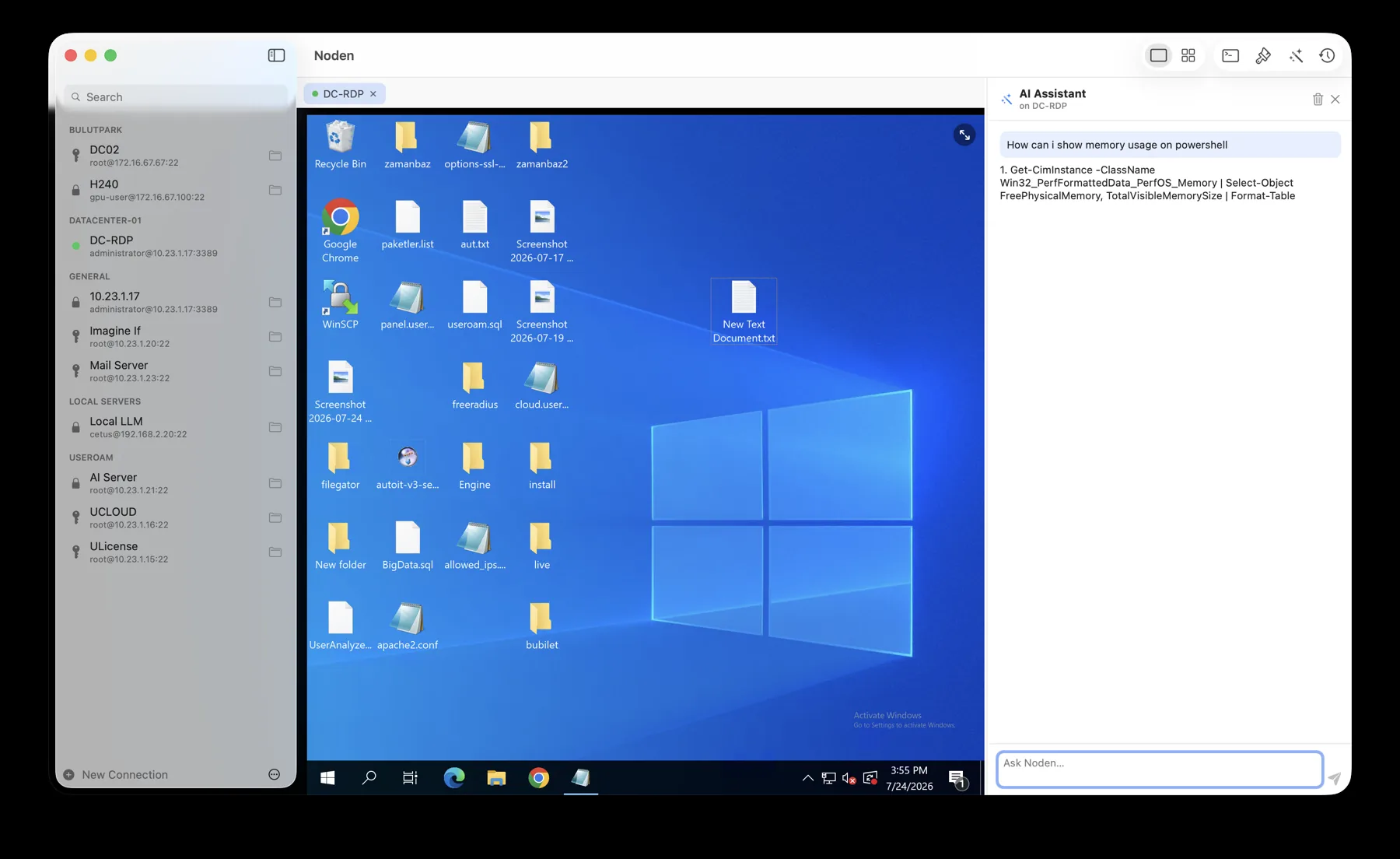
On a Linux box it writes the shell command and offers to run it. On a Windows machine it drops the command talk and just answers like a Windows engineer. Use the built-in assistant, or bring your own key — OpenAI, Groq, OpenRouter, or a local model.

Password vault
Since 1.3.0 the sidebar has a Vault tab next to Connections: passwords, SSH private keys, API tokens and secure notes. A connection can point at a vault entry instead of keeping its own copy, so rotating a secret once updates every session that uses it — SFTP, jump hosts and RDP included.
macOS KEYCHAINNO iCLOUDNO TIME MACHINE
Every read asks for Touch ID or your password, with a sudo-style grace window you choose: every time, 5 minutes, or 30.
At a sudo prompt, right-click and pick Type Password from Vault — the secret is typed, never put in your shell history. Anything you do copy clears from the clipboard after 30 seconds.
A cryptographic password generator, encrypted vault export and import, and connection backups that carry the vault with them.
Details
| In Noden | Replaces | What you get |
|---|---|---|
| SSH terminal | Terminal.app, iTerm2, PuTTY | Saved connections, tabs or grid, per-tab latency, broadcast input, ⌘P switcher |
| Local terminal | Switching to Terminal.app | ⌘T opens your Mac's own shell next to the remote sessions, in the same window |
| SFTP file manager | Cyberduck, FileZilla, WinSCP | Dual-pane local/remote, drag from Finder, edit remote files in your own editor |
| RDP desktop | Microsoft Remote Desktop | Windows in a tab next to your shells, clipboard and file copy both ways, RD Gateway |
| Serial console | screen, ZTerm, CoolTerm | USB-to-serial into a switch or firewall console port, with vendor baud presets |
| Password vault | A notes file, a shared spreadsheet | Passwords, keys, tokens and notes in the macOS Keychain, behind Touch ID |
| AI assistant | Copy-pasting from a chatbot | Knows which machine you are on; proposes the command, you approve it |
Passwords and keys stay in the macOS Keychain — never on our servers, and file contents are never collected.
Run the same command on every open tab at once — handy when you manage a fleet.
Save the commands you run often; jump to any connection or session by typing a few letters.
Export every connection to a password-protected file, or import straight from ~/.ssh/config.
Ask for Touch ID when Noden launches, so a borrowed Mac can't open your servers.
No account to sign up for. Download, add a server, connect. That's it.
The interface ships in English, Turkish, German, Spanish and French. Pick one in Settings → General → Language, or set it per-app in macOS System Settings.
When a switch has lost its address, the console port still answers. A USB-to-serial cable shows up in the same sidebar, with vendor baud presets — and it is in the free version.
Native SwiftUI and AppKit. SSH and SFTP run on Apple's swift-nio-ssh; the remote-desktop surface is drawn with Metal.
Pricing
Already have a license? Enter it in Noden → Noden Pro. Renews annually, cancel anytime. Noden Team is not on sale yet. Everything listed under it is still in development. Join the list and we will write to you before it opens.
FAQ
It covers the same core RDP workflow — saved Windows connections, full-screen remote desktop, clipboard and file transfer, shared folders, RD Gateway — with the difference that your SSH terminals and file manager live in the same window, and can share the screen in a grid.
Yes. Noden uses the keys already in your ~/.ssh (ed25519 / ecdsa) and can import servers straight from your ~/.ssh/config. Credentials are stored in the macOS Keychain.
You describe what you want in plain English. On Linux it proposes shell commands and only runs one after you approve it; on Windows it answers as a chat. Use the built-in assistant or your own provider (OpenAI, Groq, OpenRouter, or a local model).
Yes — the terminal, file manager and RDP are free for up to five saved connections. Pro removes the limit and adds the AI assistant and full history for $5.99 your first year, then $10.99 a year.
In the macOS Keychain on that Mac. The Vault tab holds passwords, SSH private keys, API tokens and secure notes; nothing is written to a plain file, synced to iCloud or included in a Time Machine backup, and nothing reaches Useroam servers. Reading an entry asks for Touch ID or your password, and copied secrets clear from the clipboard after 30 seconds.
Yes. Plug in a USB-to-serial adapter and the switch, router or firewall console port appears as a connection in the same sidebar as your SSH and RDP entries, opening in the same terminal. Baud rate, data bits, parity, stop bits and flow control are configurable, with presets from vendor documentation. Serial connections are in the free version.
The interface ships in five: English, Turkish, German, Spanish and French. Choose one in Settings → General → Language, or set it for Noden alone in macOS System Settings.
macOS 13 Ventura or later, on both Apple Silicon and Intel. Install the DMG directly or with brew install --cask useroamteknoloji/tap/noden.