Termius alternative for macOS
A native, local-first Termius alternative for Mac
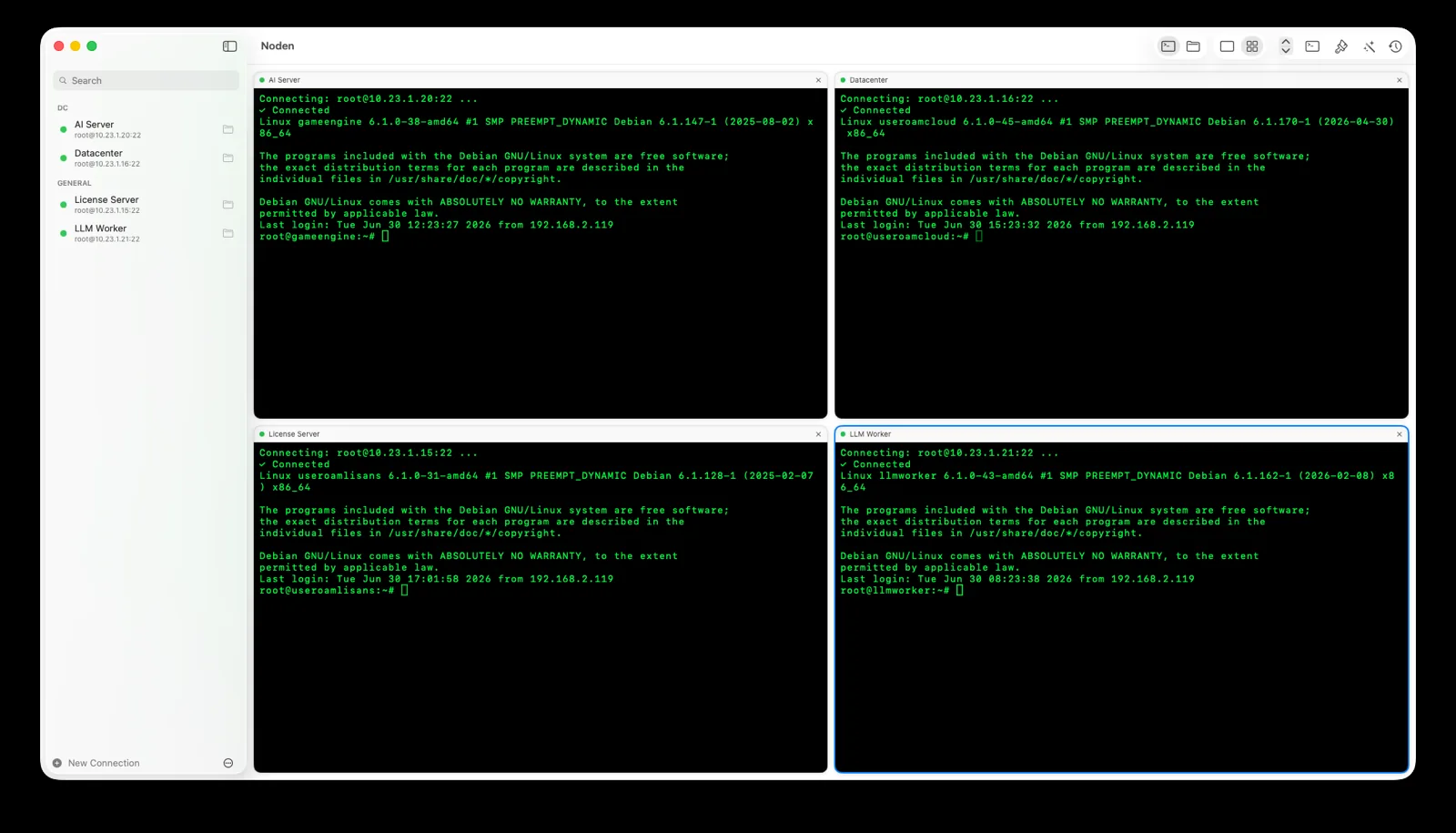
Noden is a native macOS SSH and SFTP client for people who want the Termius workflow without a cloud account or a steep subscription: saved connections, multiple terminals in one window, dual-pane file transfers and an optional AI assistant that proposes shell commands and waits for your approval before running them.
Published July 15, 2026 · By Tugay Pala, Useroam Teknoloji
What is Termius?
Termius is a cross-platform SSH client available on macOS, Windows, Linux, iOS and Android, built around an account with optional cloud sync of your hosts. Noden takes a different approach: it is built specifically for macOS, keeps your data on your Mac by default, and uses a single low-cost yearly license.
Noden and Termius at a glance
| Platform | Noden: native macOS app (SwiftUI) Termius: cross-platform (macOS, Windows, Linux, mobile) |
|---|---|
| Data model | Noden is local-first: connections and history stay on your Mac; secrets go in the macOS Keychain. No account required to use it. |
| SSH sessions | Both support saved SSH sessions and multiple terminals. Noden adds a grid view to watch several live terminals at once. |
| File transfers | Both provide graphical SFTP. Noden shows a dual-pane browser in the same window as the terminal, with drag-and-drop and remote editing that uploads back automatically. |
| AI commands | Noden turns plain-English tasks into reviewed shell command suggestions and never runs them without your approval. |
| Keys & config | Noden imports ~/.ssh/config and uses your existing Ed25519 and ECDSA keys from ~/.ssh. |
| Pricing | Noden is free for up to 5 connections; Pro is $5.99 your first year, then $10.99/year for unlimited connections, full history and AI. |
When is Noden a good fit?
Choose Noden when your daily work is primarily SSH and SFTP on a Mac, you prefer a native interface over a cross-platform one, you want your connection data to stay local, and you want a simple one-price license rather than a larger subscription. The optional AI assistant helps without ever executing unreviewed commands.
When is Noden not the right choice?
If you need the same client synced across Windows, Linux, iPhone and iPad, a cross-platform tool like Termius may suit you better. Shared team vaults are in development for the Noden Team plan, so if that is your only reason to look elsewhere, it is worth waiting. Noden is focused on being the best native SSH and SFTP experience on macOS.
Troubleshooting
You expected your connections to sync to a phone
They will not. Noden stores credentials in the Mac's Keychain and has no account system, so there is nothing to sync and no mobile client.
You want to move your hosts across without retyping
If they are in ~/.ssh/config, Noden imports the file and creates one saved connection per Host entry.
You need the same list on a second Mac
Export every connection to a single password-encrypted file and import it on the other machine. Secrets are encrypted with your password, never written in plain text.
Install Noden on macOS
Install the notarized app directly or with Homebrew. Noden works on Apple Silicon and Intel Macs running macOS 13 or later.
brew install --cask useroamteknoloji/tap/nodenFrequently asked questions
Is there a native Termius alternative for Mac?
Yes. Noden is a native macOS SSH and SFTP client built with SwiftUI. It stores your connections locally and in the macOS Keychain, and does not require a cloud account to use.
Does Noden need a cloud account like Termius?
No. Noden is local-first: connections and history stay on your Mac and secrets go in the Keychain. A license key unlocks Pro, but personal use needs no account and no cloud sync. The Team plan, which is still in development, will add an opt-in shared vault for people who want it.
How much does Noden cost?
Noden is free for up to five saved connections, including the terminal and the SFTP file manager. Pro is USD 5.99 your first year, then USD 10.99 per year and adds unlimited connections, full command history and the AI assistant.
Can Noden do SFTP and SSH at the same time?
Yes. Each connection gives you an SSH terminal and a dual-pane SFTP browser in the same window, and you can watch several terminals at once in a grid view.
See also: Serial console for Mac · MobaXterm alternative for Mac · iTerm2 for SSH · Royal TSX alternative for Mac · Mac SSH client guide