SSH client for Mac
A native macOS SSH client with SFTP and AI
Noden is an SSH client built specifically for macOS. It combines saved SSH connections, tabbed and grid terminal sessions, a dual-pane SFTP file manager and an optional AI command assistant in one native app. It supports macOS 13 Ventura and later.
Published July 15, 2026 · By Tugay Pala, Useroam Teknoloji
Who is Noden for?
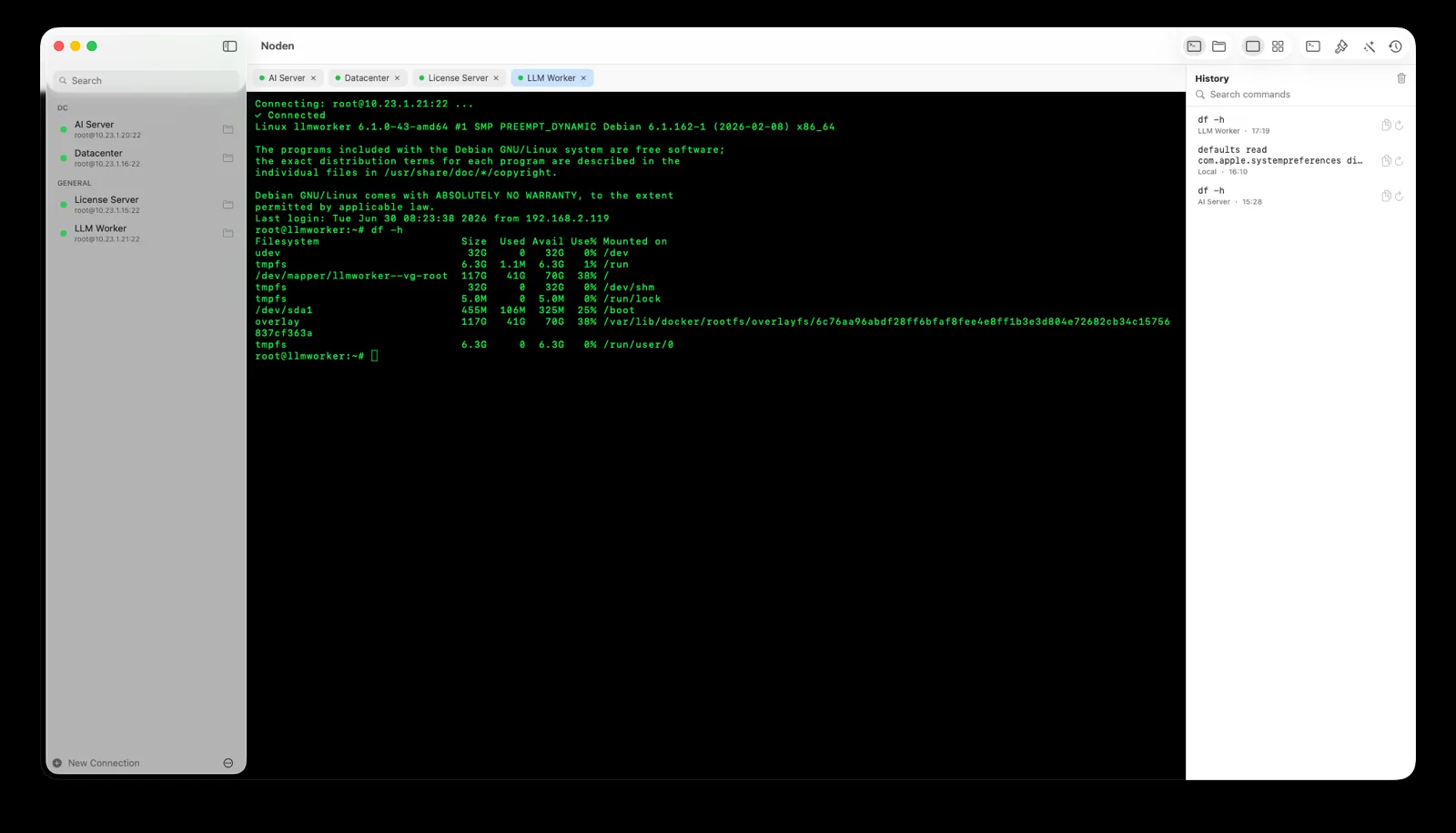
Noden is designed for developers, system administrators, hosting operators and anyone who regularly connects from a Mac to Linux or Unix servers. It is particularly useful when you want a visual connection manager and SFTP browser without giving up a full terminal.
SSH and terminal features
- Save server hostnames, ports, usernames and authentication settings.
- Use existing ed25519 and ECDSA keys from
~/.ssh. - Import hosts from
~/.ssh/config. - Open multiple sessions in tabs or a one-to-four-column grid.
- Search and reuse command history with autocomplete.
- Open a local macOS shell alongside remote SSH sessions.
Built-in SFTP file manager
Noden includes a dual-pane SFTP commander, showing your Mac and the remote server side by side. You can drag and drop files in either direction, open a remote file in your preferred editor and sync saved changes back to the server.
AI assistance with user approval
Describe a server task in plain English and Noden proposes the corresponding shell commands. Suggestions are displayed before execution and nothing runs until you approve it. Potentially dangerous operations are flagged. The assistant can use Noden's provider, OpenAI, Groq, OpenRouter or a local model.
Security and privacy
Passwords, key passphrases and private keys are stored in macOS Keychain and are not stored on Noden's servers. File contents are not collected. Connection backups can be protected with a password.
Noden at a glance
| Platform | macOS 13 Ventura or later |
|---|---|
| SSH sessions | Saved connections, tabs and grid layouts |
| File transfer | Dual-pane SFTP commander |
| Authentication | Password, ed25519 and ECDSA keys |
| AI | Reviewed command suggestions; built-in or bring your own provider |
| Free plan | 5 saved connections and 50 history entries |
| Pro plan | USD 5.99 first year, then USD 10.99/year; unlimited connections, full history and AI |
When you do not need Noden
- The built-in
sshcommand already covers your work. For one or two hosts, Terminal plus~/.ssh/configis hard to beat and costs nothing. - You need SSH from a phone or a non-Mac machine. Noden runs only on macOS 13 Ventura or later.
- You want your host list in the cloud. There is no account and no sync — credentials stay in the Mac Keychain.
Troubleshooting
Connection refused, or the session just hangs
Check host and port first; Noden uses 22 unless you change it. If the host answers but rejects you, confirm the SSH daemon is running and that no firewall filters the port.
Your existing key is not offered
Noden reads ed25519 and ecdsa keys from ~/.ssh automatically. A passphrase-protected key is unlocked through the macOS Keychain.
macOS asks for keychain permission on first launch
That is the app reading its own stored secrets. Click Always Allow once and the prompt will not return for that installed copy.
Download Noden for Mac
You can start with the free version; no Pro purchase is required to use the SSH terminal or SFTP commander.
See also: Best SSH client for Mac · SSH, SFTP and RDP in one app · Mac SFTP client · AI SSH client · How to use SSH on a Mac · Serial console for Mac